






How to Integrate AI Automation with CRM & ERP
Understand how to integrate AI automation with CRM and ERP systems to reduce manual work, improve data flow, and support better business decisions across teams.
Are you still losing time to manual work and disconnected systems while others move faster?
Your customer data sits in CRM, operations stay in ERP, and your teams keep switching between tools instead of driving growth.
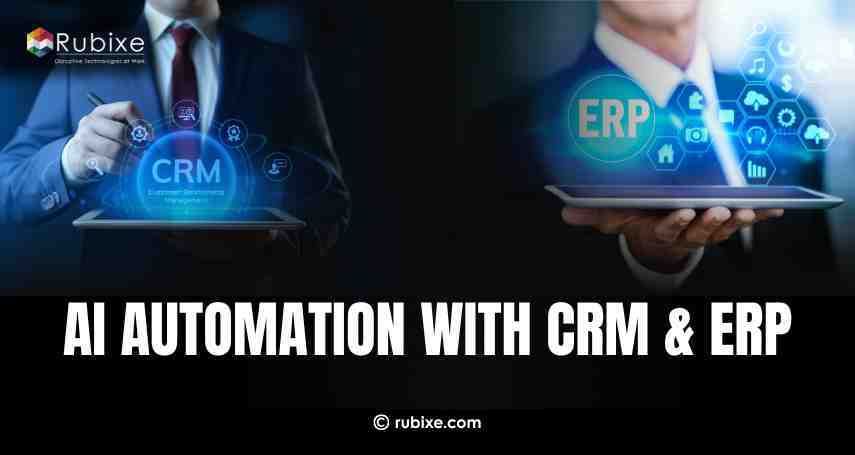
Most businesses already use CRM for customer data and ERP for internal processes. The main challenge is getting these systems to work together smoothly using AI, without affecting existing business processes.
By using the right approach and AI automation solutions, businesses can turn disconnected systems into a unified, intelligent workflow. If your goal is to save time, reduce errors, and scale operations with confidence, integrating AI with CRM and ERP is the right step forward.
What Is AI Automation in CRM and ERP?
AI automation refers to the use of artificial intelligence to automate tasks, reducing the need for continuous human involvement. When businesses apply AI automation solutions to CRM and ERP systems, they allow AI to analyze data, automate workflows, and support better decisions.
CRM systems store customer information, sales activity, and communication history. ERP systems manage finance, inventory, supply chain, and HR. AI automation connects these systems so that data flows smoothly and actions happen faster.
For example, AI can automatically update customer records in CRM or forecast demand using ERP data.
Why Businesses Use AI Automation Solutions with CRM & ERP
Businesses adopt AI automation solutions because manual processes slow down teams and increase errors. AI helps improve speed, accuracy, and consistency across operations.
Main benefits include:
-
Reduced manual work
-
Faster business processes
-
Better customer experience
-
Improved data accuracy
-
Smarter decisions
When CRM and ERP systems are integrated with AI, businesses gain a complete view of customers and operations in one place.
Common Problems AI Automation Solves
1. Too Much Manual Work
Employees spend many hours updating records, creating reports, and following up with customers. These repetitive tasks slow teams down and increase the chance of errors. AI automation helps reduce this effort and frees teams to focus on important work.
2. Disconnected Systems
CRM and ERP systems often operate separately, creating data gaps and confusion. Information does not flow smoothly between teams, leading to delays and inconsistencies. AI automation solutions connect these systems and ensure better data sharing.
3. Delayed Decisions
Manual data analysis takes time and often relies on outdated information. This slows down decision-making and affects business performance. AI delivers real-time insights that help leaders act faster and with confidence.
4. Missed Opportunities
Important patterns and trends are often hidden in large volumes of data. Manual processes may overlook these insights. AI identifies opportunities early, helping businesses respond at the right time.
What You Need Before Integration
Successful AI integration starts with proper preparation. Without the right foundation, AI tools may fail to deliver accurate results or create value for the business.
1. Clean and Reliable Data: AI depends heavily on data quality to work correctly. Business data should be accurate, complete, and free from duplicates or errors. Cleaning and updating data ensures AI can generate reliable insights and predictions.
2. Clear Business Objectives: Before using AI, businesses must define clear goals. This could include improving sales forecasting, automating routine tasks, or generating better reports. Clear objectives help align AI efforts with real business needs.
3. Secure Data Access: AI systems require access to CRM and ERP data to function effectively. This access must be controlled and secure to protect sensitive business and customer information. Proper security reduces risks and builds confidence in AI usage.
4. Strong Data Governance: Data governance ensures data is collected, stored, and managed consistently. Clear rules help maintain data accuracy over time and support compliance requirements. Strong governance creates a trusted foundation for long-term AI integration.
Step-by-Step Guide to Integrate AI Automation with CRM & ERP
Step 1: Identify Business Use Cases
Start by identifying where AI automation solutions can deliver value.
Common use cases include:
-
Lead scoring and sales prediction
-
Customer support automation
-
Invoice and billing automation
-
Inventory demand forecasting
-
Fraud detection
Choose use cases that solve real business problems.
Step 2: Select the Right AI Automation Solutions
Choose AI tools that support CRM and ERP integration. Many platforms provide built-in connectors or APIs.
Make sure the solution supports:
-
Data integration
-
Workflow automation
-
Analytics and reporting
-
Security and compliance
Avoid tools that are too complex or unnecessary for your needs.
Step 3: Connect CRM and ERP Systems
The next step is connecting CRM and ERP data to the AI platform. This allows AI to analyze information across systems.
AI should access:
-
Customer data
-
Sales records
-
Inventory levels
-
Financial data
This unified data view is essential for automation and insights.
Step 4: Build Automation Workflows
After integration, define automation rules.
Examples include:
-
Auto-updating customer profiles
-
Sending follow-up emails
-
Generating invoices
-
Notifying teams about low stock
Well-designed workflows ensure AI automation solutions reduce effort without disrupting operations.
Step 5: Test Before Full Deployment
Testing helps avoid errors.
Test for:
-
Data accuracy
-
Workflow performance
-
System stability
-
Error handling
Testing ensures AI automation works as expected.
Step 6: Train Your Teams
Employees must understand how to work with AI.
Training should include:
-
Using AI dashboards
-
Understanding AI insights
-
Handling exceptions
-
Maintaining data quality
AI supports teams, it does not replace them.
Step 7: Monitor and Improve
AI improves over time with feedback and data.
Track metrics like:
-
Time saved
-
Cost reduction
-
Accuracy improvement
-
Customer satisfaction
Continuous monitoring keeps AI automation effective.
Security and Compliance in AI Integration
Security is critical when working with CRM and ERP data.
Businesses should ensure:
-
Role-based access control
-
Data encryption
-
Compliance with regulations
-
Regular security checks
Trusted AI automation solutions protect sensitive data and build confidence.
Common Mistakes to Avoid
Many AI projects fail not because of technology, but because of poor planning and execution. Avoiding common mistakes can help businesses get real value from AI automation.
1. Skipping Data Preparation
AI systems rely on data to function correctly. If data is incomplete, outdated, or inaccurate, AI results will also be unreliable. Preparing and cleaning data before integration is essential for accurate insights and automation.
2. Automating Everything at Once
Trying to automate too many processes at the same time increases complexity and risk. Businesses should start with one or two high-impact use cases during AI integration with CRM and scale gradually. This approach reduces errors and ensures smoother adoption
3. Ignoring Human Oversight
AI supports decision-making, but it should not replace human judgment entirely. Human review is important for handling exceptions, understanding context, and ensuring responsible AI use. The best results come from collaboration between AI and people.
4. Choosing the Wrong Tools
Not all AI tools fit every business. Selecting tools based on trends rather than actual business needs leads to wasted time and cost. Businesses should choose AI solutions that align with their goals, systems, and budget.
When Should You Integrate AI Automation?

The right time to integrate AI automation solutions with CRM and ERP depends on business readiness and operational needs. Several signs indicate when integration becomes necessary.
1. Manual Tasks Are Impacting Daily Efficiency: When routine work takes too much time, daily operations slow down. AI automation reduces repetitive tasks and helps teams focus on more important activities.
2. Growing Data Is Becoming Hard to Manage: As business data increases across CRM and ERP systems, manual processing leads to delays and errors. AI automation helps organize, process, and use data more effectively.
3. Business Decisions and Customer Responses Need to Be Faster: When timely decisions and quick customer interactions become critical, AI automation provides faster insights and improves response quality.
How AI Automation Supports Long-Term Growth
AI automation helps businesses scale operations without continuously increasing workforce size. As data grows, AI continues to analyze information, automate processes, and deliver insights consistently.
One major benefit is faster decision-making. AI processes data in real time, helping leaders act quickly based on accurate insights. Customer engagement also improves as AI enables timely responses, personalized interactions, and better service quality.
Operational costs are reduced because automation minimizes manual effort and errors. Improved efficiency allows teams to focus on strategic tasks rather than routine work.
Over time, AI becomes a core business asset that supports sustainable growth, adaptability, and long-term competitiveness.
Integrating AI automation with CRM and ERP helps businesses work smarter, not harder. With the right preparation, tools, and strategy, AI automation solutions can reduce manual work, improve data accuracy, and support better decision-making.
If long-term growth, efficiency, and smarter operations are your goals, integrating AI automation with CRM and ERP is a practical and future ready step forward.