










AI Copilots: Use Cases Across Sales, Marketing, and Operations
Explore AI copilots for business across sales, marketing, and operations. Learn key use cases, benefits, risks, and how to choose the right solution.
Most teams lose hours every week to repetitive tasks, scattered information, and slow decisions. Notes sit in one tool, customer data in another, and reports take days to pull together. AI copilots help with this.
They work next to employees inside everyday tools, find the right information, draft content, and suggest next steps.
AI copilots for business can support sales, marketing, and operations teams alike, and they are one practical way to reduce manual work with AI.
They are not magic, though. Results depend on the quality of your data, how well your systems connect, and whether people review the output. This guide explains how copilots work, where they help, what can go wrong, and how to start.
What Are AI Copilots?
An AI copilot is an AI tool that helps a person do their work. It uses AI models, your business context, and connected information, such as documents, emails, and CRM records, to assist with everyday tasks.
Here is a simple example. A sales employee finishes a customer call. The copilot summarises the conversation, pulls out the key points, and drafts a follow-up email. The employee reads it, edits it, and sends it.
The key point is that the person stays in charge. A copilot assists with a task. It does not replace the whole workflow or the person doing it.
How Do AI Copilots Work?
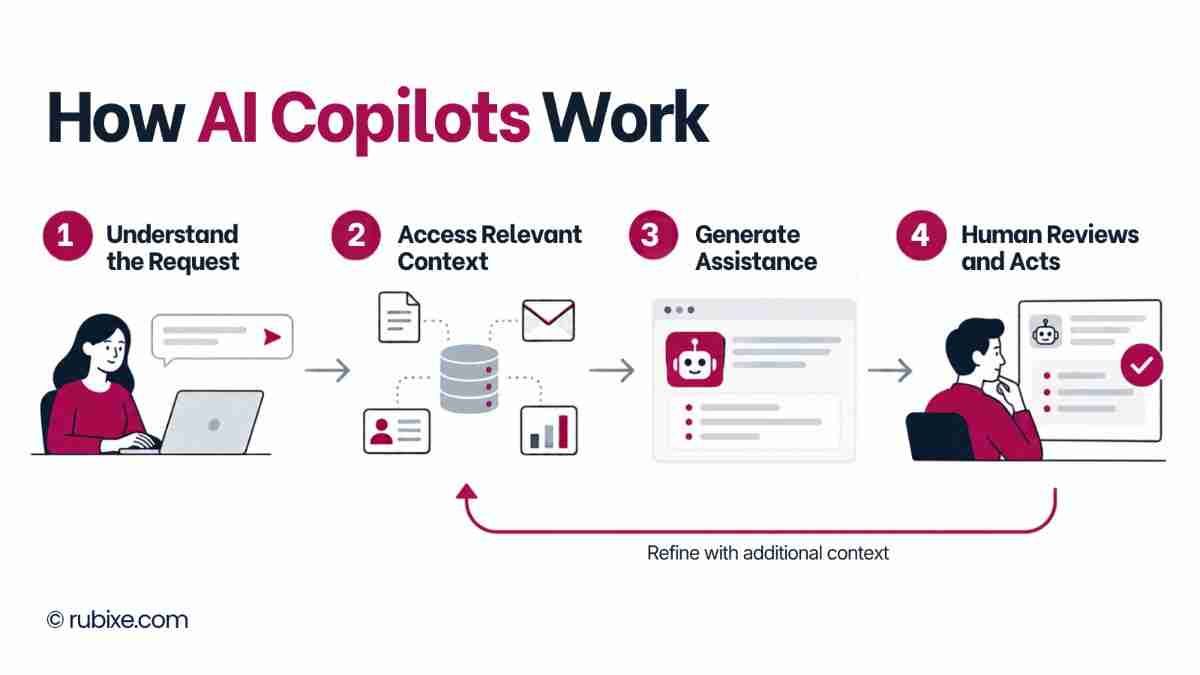
Most copilots follow the same four steps:
-
Understand the request: The user asks a question or asks for help with a task.
-
Access relevant context: The copilot uses permitted information from connected documents or business systems.
-
Generate assistance: It produces a summary, recommendation, draft, or suggested action.
-
Review and act: The user checks the result and approves any action that needs approval.
What a copilot can do depends on the product, the permissions you set, the data it can reach, and the integrations in place. Two copilots can behave very differently in two different companies.
AI Copilots vs AI Assistants vs AI Agents vs Traditional Automation
These terms are often mixed up. The table shows how they differ.
|
Technology |
Primary role |
Example |
|
AI copilot |
Assists a person with tasks and decisions |
Drafting a customer response |
|
AI assistant |
Responds to requests and helps complete tasks |
Answering questions from company documents |
|
AI agent |
Carries out multi-step tasks within assigned permissions |
Processing a request across connected systems |
|
Traditional automation |
Runs predefined rules and workflows |
Sending an invoice after approval |
The main difference between AI copilots vs AI agents is who acts. A copilot suggests, and a person decides. An agent can take several steps on its own, inside limits you set. Traditional automation follows fixed rules and does not adapt.
To see how rule-based and AI-driven approaches fit together, read our guide on what AI automation is. If you want to know how language models power these tools, see our post on LLM-based automation for business.
These categories overlap, and vendors do not always use the labels the same way. Check what a product actually does before you buy.
Key AI Copilot Use Cases Across Business Functions
The AI copilot use cases below follow one pattern: the business problem, how the copilot helps, and the outcome to measure.
AI Copilots for Sales
Business problem: Sales reps spend a large share of their time on notes, CRM updates, and research instead of talking to customers.
How the copilot helps:
-
Researches leads and helps prioritise them
-
Summarises customer meetings and updates CRM records
-
Drafts personalised emails and suggests follow-ups
-
Supports pipeline analysis and forecasting
Outcome to measure: Time spent on admin per rep, speed of follow-up and CRM data completeness.
These tasks can cut manual work. Reps still own customer relationships and important decisions.
AI Copilots for Marketing
Business problem: Marketing teams juggle content, campaigns, and reports across many tools, and proving impact takes time.
How the copilot helps:
-
Suggests content ideas and writes first drafts
-
Supports audience research and customer segmentation
-
Summarises campaign performance
-
Helps with personalisation and marketing reports
Outcome to measure: Time to produce a campaign report, drafts completed per week, and revisions needed per draft.
Human review stays important. People need to check facts, protect brand voice, and make the final campaign decisions.
AI Copilots for Business Operations
Business problem: Operations teams lose time searching for information, building routine reports, and documenting processes.
How the copilot helps:
-
Searches internal knowledge and documents
-
Summarises reports and operational data
-
Supports inventory and demand planning
-
Helps with process documentation and routine reporting
Outcome to measure: Time to find information, time to produce routine reports, and error rates in documentation.
Predictive features, such as demand planning, depend on the data available and on suitable models or integrations. A copilot cannot predict well from poor data. Teams that want to connect copilots to repeatable workflows can look at Rubixe’s AI automation services.
Real-World Examples of AI Copilots in Business
These examples come from customer stories published by Microsoft. The results are self-reported, so treat them as indicators and not guarantees.
PA Consulting: Sales Support
Challenge: PA Consulting wanted to learn how copilots could bring real returns to its business, including its sales work.
How it was used: In September 2023, 300 people received access to Copilot in Microsoft 365 and Copilot for Sales. The team focused on five priority sales use cases. One of them pre-qualifies client requests for proposals using PA’s capabilities, past win rates, and client relationships.
Reported outcome: Employees saved about three hours a week on average, and early trials pointed to more than 45,000 hours saved per year across the 300 people. PA also noted that saved time only matters if people use it well. Read the full PA Consulting story.
Presidio: Sales, Marketing and Engineering Teams
Challenge: Presidio’s staff spent more and more time managing information from meetings, emails and customer requests.
How it was used: In late 2023, Presidio rolled out Microsoft 365 Copilot to 300 employees across marketing, engineering, IT, executive and project management teams. Staff used it for meeting transcription and for turning technical documents into customer-facing presentations.
Reported outcome: Presidio calculated that users save about 1,200 hours per month on average, and the time spent on customer requests for proposals fell by 90%. See the Presidio story.
XP Inc.: Meetings and Internal Audit
Challenge: XP Inc. wanted to improve productivity and accessibility at work.
How it was used: XP Inc. rolled out Microsoft 365 Copilot to automate tasks such as meetings and the creation of minutes. The internal audit team was one of the heaviest users.
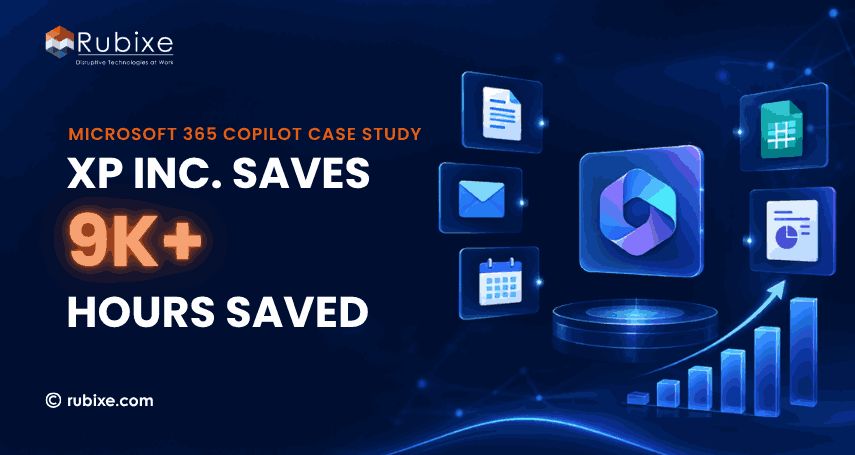
Reported outcome: XP Inc. reported savings of over 9,000 hours and a 30% efficiency gain for its audit team. Real-time transcription also helped employees with disabilities. Read our own Microsoft 365 Copilot case study.
Key Benefits of AI Copilots for Businesses
The benefits of AI copilots show up in daily work. They depend on how well the copilot is set up and used, so tie each one to a number you can track.
-
Improved Employee Productivity: Drafting, summarising, and searching take less time. Track the time spent on a task before and after the copilot arrives.
-
Faster Access to Business Information: When a copilot connects to your documents and systems, people find answers without digging through folders. Track time to find a document or answer.
-
Better Decision Support: Copilots can summarise information and point out patterns. People still need to check the output before they act on it. Track how long decisions take and how often people correct the copilot’s suggestions.
-
More Consistent Workflows: Approved templates, guidance, and standard processes help staff handle repeat tasks the same way each time. Track rework and error rates.
Challenges and Risks of Using AI Copilots
Plan for these limits before you adopt a copilot.
-
Inaccurate or Incomplete Outputs: Copilots can give wrong answers or miss context. Never send customer-facing content or make a key decision without a human check.
-
Data Privacy and Security: Copilots work with confidential information, so access permissions matter. Decide what data the copilot may see, who can use it, and how data is stored and handled. Our guide to AI cybersecurity solutions covers how to protect sensitive business data.
-
Integration and Data Quality: A copilot is only as useful as the data it can reach. Disconnected systems and messy records lead to weak results. Strong AI infrastructure services help connect data and systems before you scale.
-
Employee Adoption and Human Oversight: People need training, clear review steps, and clear accountability for important decisions. Without them, adoption stalls or mistakes slip through.
How to Implement AI Copilots in Your Business
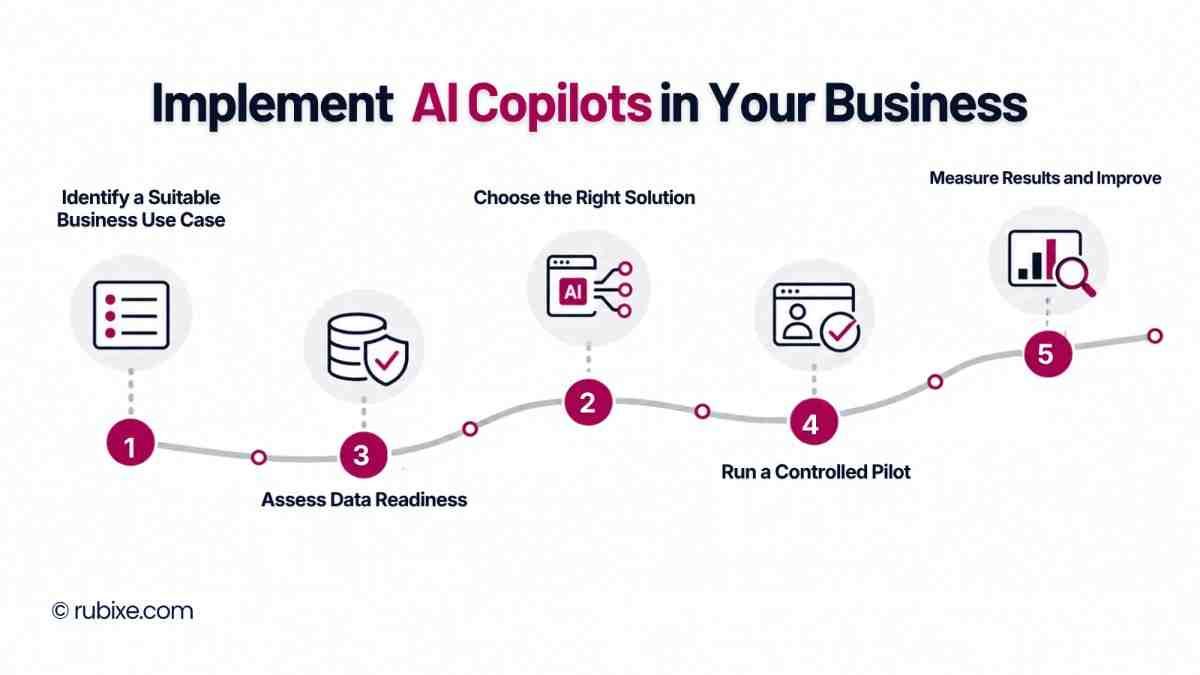
A good AI copilot implementation starts small and grows with evidence. Mid-sized teams can see how this works in practice in our post on how AI consulting improves workflows in mid-size companies.
Step 1. Identify a Suitable Business Use Case
Pick a repetitive task that you can measure and that has a clear business need, such as meeting summaries or routine reports.
Step 2. Assess Data Readiness
Check data quality, access permissions, and the information the copilot needs. Our AI readiness assessment guide walks through this step, and our AI readiness audit covers it in depth.
Step 3. Choose the Right Solution
Compare functions, security, integrations, customisation, and cost. The next section covers this in more detail.
Step 4. Run a Controlled Pilot
Test the copilot with a small group of users. Define what humans must review before anything goes out.
Step 5. Measure Results and Improve
Compare results with your starting baseline before you expand. Useful metrics include:
-
Task completion time
-
Error rate
-
Employee adoption
-
Cost per completed task
How to Choose the Right AI Copilot
No single copilot fits every business. Judge each option against these points:
-
Business needs: Does it fit your intended use cases?
-
Compatibility: Does it work with your existing software?
-
Security: What privacy and security controls does it offer?
-
Quality: How accurate and useful are its outputs?
-
Flexibility: Can you customise it and scale it?
-
Cost: What are the total implementation and running costs?
-
Support: Does it offer reporting, monitoring, and ongoing help?
Test any shortlisted tool on your own data and tasks before you commit. If you work with an outside partner, use these 15 questions to ask your AI consulting partner before signing.
Frequently Asked Questions
What are AI copilots used for?
They help with finding information, drafting content, analysing data, and handling routine business tasks such as meeting summaries and reports.
How do AI copilots help businesses?
They can raise productivity and support better decisions by cutting time spent on routine work. The size of the gain depends on how the copilot is set up and used.
What is the difference between an AI copilot and an AI agent?
A copilot assists a person, who reviews and decides. An agent can carry out multi-step tasks on its own within the permissions you assign.
Are AI copilots secure for business use?
It depends on the product’s controls, your configuration, how data is handled, and who has access. Review these before you roll out a copilot.
Can AI copilots integrate with existing business software?
Often yes, but it varies by provider. Some integrations work out of the box. Others need configuration or custom development.
How can a business measure the ROI of an AI copilot?
Compare results against a baseline. Look at time saved, error reduction, adoption, running costs, and business outcomes such as faster response times. For more on turning AI work into measurable results, read how AI and ML consulting turns data into revenue.
AI copilots can support sales, marketing, and operations when they match a clear business need. The teams that get value pick one suitable use case, prepare reliable data, keep humans in the loop, and measure results against a baseline.
Ready to find the right place to start? Talk to Rubixe’s AI experts about your goals. AI consulting services can help you pick a use case, check your readiness, and plan a pilot, and you can explore our full range of AI services to see how we can support your team.